

CaratLuck Casino Mobile App
The mobile version of the casino provides access to thousands of games, current promotions and personal account features directly from a smartphone. Players can quickly find their favourite slots, join live tables, check their balance and manage their profile. On iOS and Android devices, the platform runs through a browser, offering convenient navigation, touchscreen controls and access to essential features without installing additional software.
Getting Started on Your Phone: Browser Access and Shortcuts
The CaratLuck Casino mobile website opens directly in a smartphone browser. Simply visit the platform, sign in to your account and select the section you need. On Android, you can save the page through the browser menu, while iPhone users can add it to their Home Screen. This shortcut opens the website but is not a separate native application.
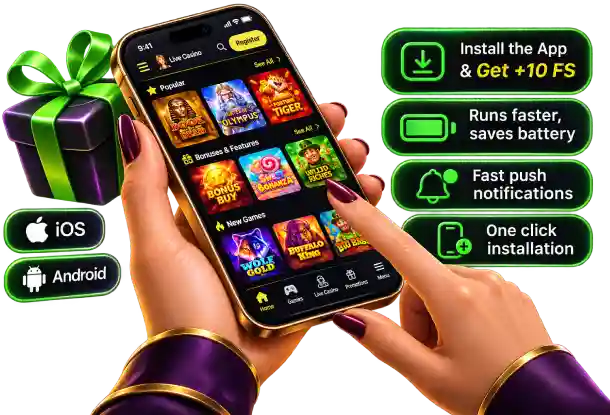
The CaratLuck Casino promotional image highlights the idea of quick installation, push notifications and a gift of 10 FS. However, the access method, notification availability and conditions for receiving these spins depend on the specific mobile promotion. A browser is sufficient for everyday gaming, so it is important not to confuse a website shortcut with an application installation file.
| Device | How to Access | Useful Action |
|---|---|---|
| iPhone | Safari or another compatible browser | Add a shortcut to the Home Screen |
| Android | Chrome or another browser | Save the page through the browser menu |
| Tablet | Standard website address | Browse a wider grid of games |
Three Steps from Your First Visit to the Mobile Lobby
Getting started with CaratLuck on your phone involves just a few straightforward steps. Registration and login remain part of the mobile experience, with all essential actions completed directly on the touchscreen without switching to a computer.
- 1
Open the Website on Your Smartphone
Launch your mobile browser, visit the website and find the login or account registration button near the top of the interface.
- 2
Sign In to Your Account
Enter your login details or complete the registration form. Check your contact information and complete any required verification.
- 3
Create a Quick Route to Your Games
Open the catalogue, use the search function and select a game. If you wish, save a website shortcut to your Home Screen.
When returning to CaratLuck Casino, the familiar layout remains consistent: the game lobby, Promotions, cashier and profile are all part of the same mobile experience. If you forget your password, the recovery process can be started from the login page.
Touchscreen Navigation Without Endless Scrolling
With more than 12,400 games in the library, categories and search tools are particularly useful on smaller displays. At CaratLuck Casino, entering a title directly into the search field is more convenient than scrolling through dozens of rows of game thumbnails. Returning to the lobby allows players to change their gaming format, such as switching from roulette to quick rounds of Mines.
Portrait orientation works well for browsing menus and promotional lists, while landscape mode may be more comfortable for certain live tables. Button placement depends on the game, so players should check their stake, selected betting areas and available controls before placing a bet. A simple route through the mobile interface looks like this:
- Search — find Aviator, Chaos Crew or a specific roulette title.
- Categories — switch between slots, live games and jackpots.
- Profile — check your balance, notifications and login settings.
| On-Screen Action | What Happens | When It Is Useful |
|---|---|---|
| Tap a game tile | The selected title opens | For quick access |
| Change screen orientation | The game layout adjusts if supported | For live tables |
| Return to the menu | Game categories become available again | For choosing a different gaming pace |
Cashier, Bonuses and Account Settings in One Mobile Experience
During a mobile session, CaratLuck allows players to access the cashier to check available payment methods, deposit amounts and transaction history. Before confirming a payment, it is useful to verify the payment details and account currency. There is no need to leave the browser to manage funds, while returning to the main menu provides access to the gaming categories.
In the Promotions section, CaratLuck Casino players can explore the Casino Welcome Pack, advertised at 400% up to £29,000 and 400 FS, alongside other available rewards. On a smaller screen, it is particularly important to read the conditions before activation, including expiry dates, wagering requirements and eligible free spin games. Personal and bonus balances should be checked separately to understand which funds are available for particular activities.
- Cashier — check your selected payment method and transaction status.
- Promotions — review bonus rules before activating an offer.
- Profile — update your details and monitor verification status.
Mobile Support and Ending Your Session Securely
If assistance is needed during a gaming session, CaratLuck provides round-the-clock live chat, while email is available for more detailed enquiries. From a smartphone, players can ask about login issues, bonus allocations or payments without leaving the familiar interface. Account verification may require documents, so it is advisable to use the official account dashboard and never share passwords in messages.
Mobile security begins with locking your phone and signing out carefully when using shared devices. With CaratLuck Casino Mobile App, it is also useful to monitor gaming time, deposit history and available responsible gambling tools. These measures help players return to their sessions with a clear understanding of their account balance.
| Situation | Action on Your Smartphone | Outcome |
|---|---|---|
| Forgotten password | Open the password recovery option | Instructions sent to your registered email |
| Payment enquiry | Check transaction history and contact live chat | Clarification of the payment status |
| Ending a session | Sign out of your profile and close the tab | Better control over account access |
Mobile Gaming for Short and Extended Sessions
CaratLuck Casino Mobile App brings together browser-based access, touchscreen search, live tables and account management from a smartphone. During a short visit, players can quickly find a favourite game, while longer sessions allow them to visit the cashier or explore promotions without changing devices. At CaratLuck Casino, the mobile experience remains consistent, from opening the website to reviewing transaction history and signing out securely.
FAQ
How can I quickly find a game on the CaratLuck mobile website?
You can use the dedicated search field in the mobile lobby or browse the relevant category. Games are organised by format, including slots, jackpots, quick games and live casino. This makes it easier to find specific titles without scrolling through the entire catalogue.
Can I play roulette and blackjack in landscape mode?
Many mobile games support landscape screen orientation. This format can be particularly convenient for roulette and blackjack, as it provides a clearer view of the gaming table, cards and controls. Availability depends on the particular game and device.
How can I check my payment history through the mobile casino?
After signing in, open the cashier or transaction history section in your account. There, you can review previous deposits, withdrawal requests and their current status. This information is accessible through your smartphone browser without using a computer.
Can I view VIP levels and accumulated Chips on my phone?
Yes, the mobile version allows players to access the loyalty programme, check their current VIP status and browse available rewards. In the Chips Shop, users can explore Free Spins packages, bonus funds and other prizes available in exchange for accumulated points.
How can I get assistance while playing on my smartphone?
Players can contact the 24/7 support team through live chat in their mobile browser. Support agents can assist with launching games, account access, bonuses and payment transactions. Email support is also available for more detailed enquiries.